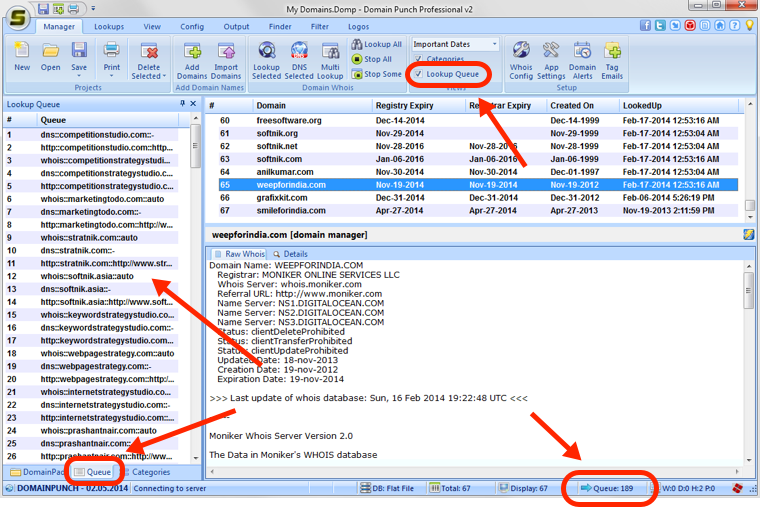
Lookup Queue Status
Domain Punch Pro, Watch My Domains, etc. perform different types of lookups for obtaining information. These include whois lookups (normally on port 43), Http lookups (port 80), Ping checks, DNS Lookups, etc. The lookup status is indicated through a cryptic message on the status bar and through a lookup queue list (may be toggled on/off using the Manager > View > Lookup Queue ribbon option)
Lookup Queue
When lookups are in progress, the status bar displays the status with the following legends.
H - number of http lookups in progress.
W - number whois (port 43) lookups in progress.
D - number of DNS lookups in progress.
P - Pings in progress.
In addition to the status bar display, the View > Lookup Queue Bar menu option will allow you to see the domain names that are in queue.