SSL Certificate Monitoring
Watch My Domains ISP and Domain Punch Pro support checking SSL certificate information of the domains in the project.
If you need to monitor SSL records for multiple subdomains, please use Watch My Domains SED (server edition).
The desktop editions currently support checking only a single SSL certificate per domain.
Enabling SSL Check
Since most domains in your domain name portfolio may not have SSL certificates, the SSL check has to be enabled for each domain (or enabled globally for all domains). You can do this from the "details" tab in the lower panel.
Enable SSL checking for all domains
To enable SSL checking for all domains, check the "Always do SSL check" box in the "App Settings" dialog.
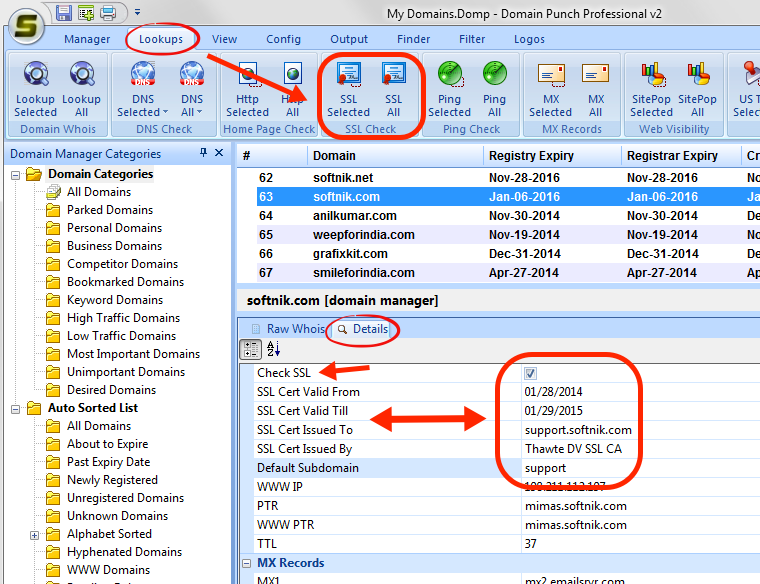
Sub domains for SSL check
You can specify a default sub-domain for SSL checking (see screenshot above). If the subdomain is not specified the SSL check will be done after appending "www." in front of the domain name. To check SSL for only the domain name (no www) specify the subdomain as "-" (without the quotes).